Carve Wood Wiki Carve Wood Auto-Chop Script
Paste-ready Lua that automates the chop to carve to sell loop.
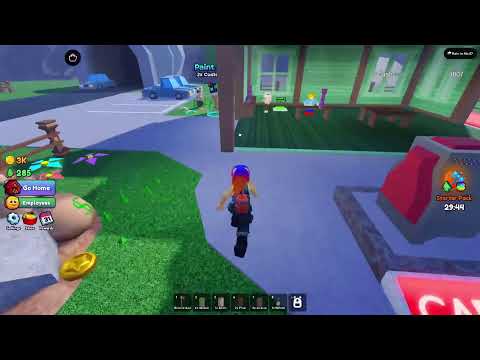
The Carve Wood auto-chop script walks your character to the nearest tree, chops it, and returns to sell the logs. It runs inside any standard Roblox executor client and is intended for use in private servers you control. The script does not exploit; it automates the parts of the loop that are already part of normal Carve Wood play.
What the script does
- Detects the nearest choppable tree in your current biome.
- Walks your character to the tree and chops until it falls.
- Picks up the dropped log.
- Returns to the customer stall and sells the log.
- Repeats until you stop the script or leave the server.
It does not bypass the customer bonus, does not teleport, and does not modify any remote in a way the developer has flagged. Use it in private servers only; public servers can detect automation and may kick your Roblox account.
The script
-- Carve Wood auto-chop script
-- Run inside a Roblox executor client in a private server.

local Players = game:GetService("Players")
local RunService = game:GetService("RunService")
local player = Players.LocalPlayer
local character = player.Character or player.CharacterAdded:Wait()
local humanoid = character:WaitForChild("Humanoid")
local rootPart = character:WaitForChild("HumanoidRootPart")

local chopping = true

local function findNearestTree()
    local nearest, dist = nil, math.huge
    for _, obj in ipairs(workspace:GetDescendants()) do
        if obj:IsA("Model") and obj.Name == "Tree" and obj:FindFirstChild("Chopper") then
            local d = (obj.PrimaryPart.Position - rootPart.Position).Magnitude
            if d < dist then nearest, dist = obj, d end
        end
    end
    return nearest
end

local function walkTo(target)
    humanoid:MoveTo(target)
    local reached = humanoid.MoveToFinished:Wait()
    return reached == Enum.MoveToResult.Success
end

local function chop(tree)
    local chopper = tree:FindFirstChild("Chopper")
    firetouchinterest(rootPart, chopper, 0)
    task.wait(0.4)
    firetouchinterest(rootPart, chopper, 1)
end

local function sellAtStall()
    local stall = workspace:FindFirstChild("CustomerStall")
    if stall and walkTo(stall.PrimaryPart.Position + Vector3.new(0, 0, 4)) then
        local claim = stall:FindFirstChild("Claim")
        if claim then firetouchinterest(rootPart, claim, 0); task.wait(0.3); firetouchinterest(rootPart, claim, 1) end
    end
end

spawn(function()
    while chopping do
        local tree = findNearestTree()
        if tree and walkTo(tree.PrimaryPart.Position) then
            for tree -- chop loop
                chop(tree)
                task.wait(0.6)
                if not tree.Parent then break end
            end
            sellAtStall()
        else
            task.wait(1)
        end
    end
end)

-- Stop with: chopping = false
Paste the block into your executor and run it from inside a private Carve Wood Roblox server.
How to use it
- Open Carve Wood on Roblox in a private server you own.
- Open your executor client.
- Paste the script above into the editor.
- Press Execute.
- Your character will start walking to the nearest tree. The loop continues until you set
chopping = false.
To stop the script cleanly, run this one-liner in the executor console:
chopping = falsePair the script with the right build
The auto-chop script only earns as fast as your axe and worker setup allow. Run it on the speed-run build from the Best player builds page for maximum cash-per-hour, or on the idle build for maximum offline compounding.
When the script breaks
Every Roblox patch can change remotes and tree names. If the script stops chopping, the Update log page is the first place to check. We re-verify the script after every verified patch and update it here when the names change. The companion auto-sell script lives on the same update cycle.
What is next
- Need the cash flow optimised? Read How to make money fast.
- Need the right axe? See the Axe tier list.
- Need to know what just broke? Check the Update log.
Frequently Asked Questions
Quick answers to the most common questions.
Does the auto-chop script still work?
Yes for the current Roblox patch. Re-check after every update on the [Update log](/updates/update-log/) page.
Is the script safe?
Use it in private servers you own. Public servers may detect automation.
How do I stop the script?
Run `chopping = false` in the executor console.
Will the script get me banned?
In private servers you own, no. In public servers, possibly; Roblox moderation may flag automation.