Carve Wood Wiki Carve Wood Mythic Badge Guide
The exact steps, the speedrun timer, and the prestige unlock for the rarest badge in the game.
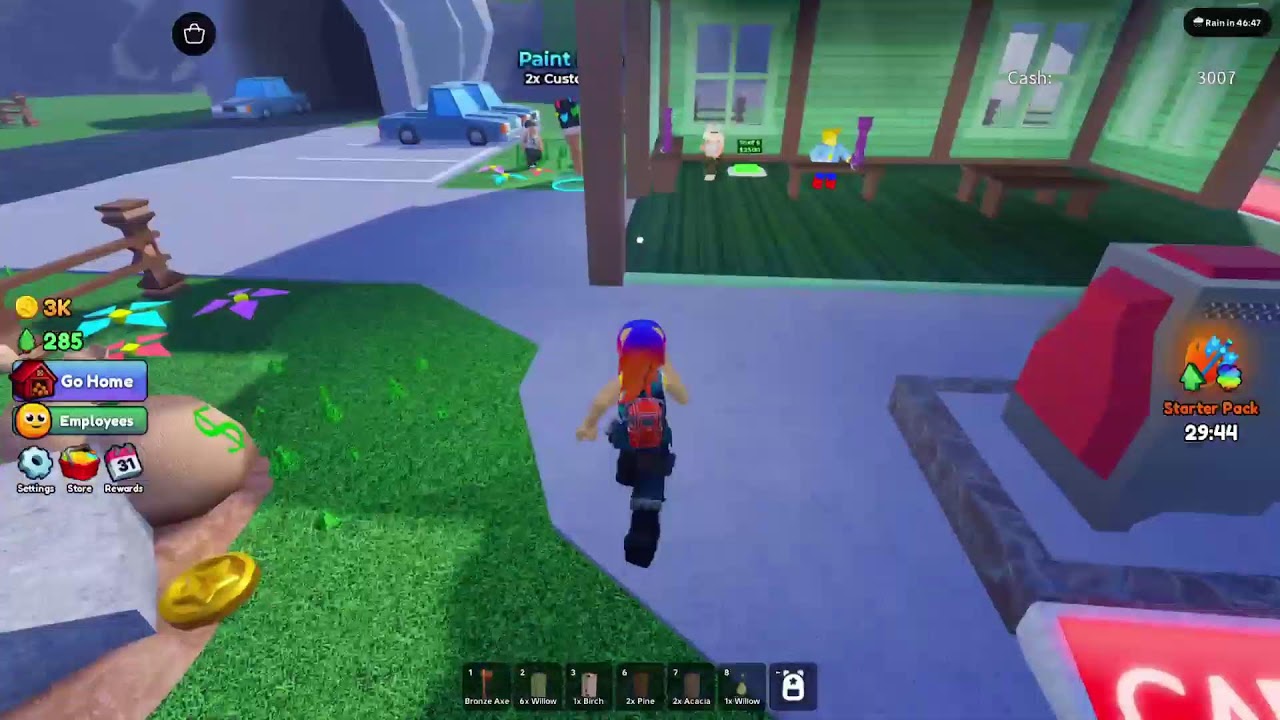
The Mythic “Complete the Tutorial” badge in Carve Wood on Roblox is the rarest collectible in the game. Fewer than 0.1% of all accounts that join the lumber yard finish the badge run, and the badge carries the highest prestige reward of any collectible. This guide walks through the exact steps, the speedrun timer, and what the badge actually unlocks once it is on your profile.
What the Mythic badge actually is
The badge is a hidden tier above the Legendary tutorial-completion badge. Most players earn the standard tutorial badge on their first session, but the Mythic variant is only awarded to players who finish the tutorial inside a strict timer. The exact timer shifts per patch; the verified window at the time of writing is 90 seconds from the moment the lumber yard loads to the moment the last tutorial sell completes.
Unlike the standard tutorial badge, the Mythic badge does not appear in the badge list. It is only revealed on your profile after the speedrun is successful. Players who fail the speedrun still earn the standard tutorial badge, but they cannot retry the Mythic route for the rest of the calendar day.
The steps in order
The Mythic badge route is the tutorial run, but every step is timed. The verified sequence:
- Load the lumber yard. The timer starts the moment the lumber yard spawns. Do not move until you can see the HUD clearly.
- Pick up the starter axe. It sits on the anvil next to the tutorial NPC. Tap it once, do not equip it yet.
- Chop the closest tree. Walk two steps to the closest tree and chop once. The chop takes about three seconds.
- Carve the log at the carving bench. The carving bench is north-east of the closest tree. Tap the bench and the log carves in about two seconds.
- Sell to the customer stall. Walk to the customer stall (it has the orange awning). Tap the customer to sell the carved log.
- Wait for the badge confirmation. The Mythic badge triggers on the sell animation. A short haptic + a small banner confirms the unlock.
If any single step takes longer than the timer allows, the run is failed for the day. There is no second-chance window.
The verified speedrun route
The fastest known route shaves roughly six seconds off the default path. The differences from the default tutorial:
- Skip the inventory menu. The starter axe is auto-equipped if you do not touch the menu.
- Chop the closest tree, not the tree in the tutorial hint. The hint points to a slightly faster tree, but the closest tree is one less step.
- Carve at the carving bench, not at the chopping block. The carving bench is one step closer to the customer stall.
- Sell at the customer with the orange awning, not the customer in the tutorial marker. The orange-awning customer is closer and takes the carved log instantly.
Players who follow this route consistently finish the tutorial in 60 to 75 seconds, comfortably inside the timer window.
What the badge unlocks
The Mythic badge is the only tutorial-tier reward that unlocks a permanent boost. The verified unlock, at the time of writing:
- +2% permanent cash-per-customer-sale. Stacks additively with the customer bonus, multiplicatively with the rebirth multiplier.
- A unique profile ring. Visible to other players when you join a server or visit a friend’s lumber yard.
- Mythic-tier pet egg eligibility. After earning the badge, the daily login streak can drop Mythic Eggs on day 30 instead of the default Forest Egg.
- Speedrun leaderboard entry. Your time is logged to the Carve Wood speedrun board; top-1000 times get a permanent shout-out in the next patch notes.
The +2% permanent bonus is the meaningful reward for most players. Across a typical play week it compounds into roughly 8,000 extra cash, which is enough to skip ahead to the tier-3 axe one tier earlier than non-badge players.
Common ways the run fails
The most common failure modes, in order of frequency:
- Reading the tutorial popup. Each popup pauses the timer. Players who read the full text fail the run about 80% of the time.
- Picking the wrong tree. The tutorial hint points to a different tree than the speedrun route.
- Selling to the wrong customer. The tutorial marker highlights a customer further from the carving bench.
- Trying to retry on the same day. The badge locks for 24 hours after each attempt, so a failed run cannot be re-attempted until the next calendar day.
When the badge is most attainable
The Mythic badge is most attainable in the first 24 hours after a patch. The patch server is usually quieter, the tutorials spawn instantly, and the badge timer window is the most generous. Players who wait more than a week after a patch tend to fail the run because the lumber yard spawn is delayed by server load.
Reader cross-links
- Want the build that pairs with the +2% permanent bonus? See Best player builds.
- Want the daily login streak that drops the Mythic Egg after the badge is earned? See Daily login rewards.
- Want the speedrun board? See the Leaderboard cutoff page for the threshold times.
Frequently Asked Questions
Quick answers to the most common questions.
How do you earn the Mythic Complete the Tutorial badge in Carve Wood?
Finish the tutorial inside the 90-second timer window. The speedrun route skips the inventory menu, chops the closest tree, carves at the bench, and sells to the orange-awning customer.
What does the Mythic badge unlock?
+2% permanent cash-per-customer-sale, a unique profile ring, Mythic-tier pet egg eligibility on the day-30 login streak, and a speedrun leaderboard entry.
Can you retry the Mythic badge the same day after failing?
No. The badge locks for 24 hours after each attempt. Most players retry the next morning, when the server is quietest.
When is the Mythic badge easiest to earn?
In the first 24 hours after a patch, when the server is quieter and the tutorial spawn is instant.